
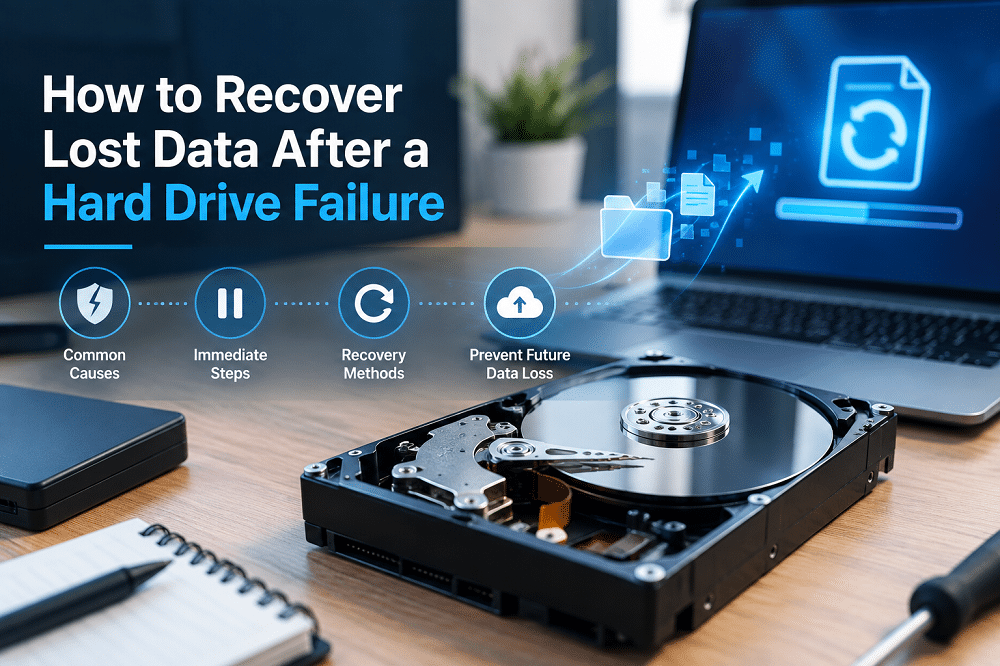
A hard drive failure can happen without warning, leaving important business documents, customer records, photos, applications, and other files inaccessible. When a drive stops working, the first reaction is often to restart the computer or try different recovery tools. However, repeated attempts to access a damaged drive can sometimes make data loss worse. Knowing what to do immediately can improve the chances of recovering important files.
Understanding the causes of hard drive failure and taking the right recovery steps can help protect your data. Businesses can also reduce the risk of permanent loss by maintaining reliable backups and using professional computer repair services in Utah when hardware problems occur.
What Causes a Hard Drive to Fail?
Hard drives can fail for several reasons. Physical damage is one of the most serious. Traditional hard disk drives contain moving components that can become damaged if a computer is dropped, struck, or exposed to excessive vibration.
Overheating can also contribute to hardware failure. Computers operating in poorly ventilated areas or with significant dust buildup may generate excessive heat, which can shorten the lifespan of internal components.
Not every failure is physical. Corrupted files, damaged operating system components, malware, power interruptions, and software problems can also make a drive inaccessible. In some cases, the drive itself remains functional while the data or file system has become corrupted.
Stop Using the Device After Data Loss
If important files suddenly disappear or a hard drive begins showing signs of failure, stop using the affected device whenever possible. Continuing to save files, install applications, or perform other operations can overwrite data that may still be recoverable.
This is particularly important when files have been accidentally deleted. Deleted data may remain on the storage device until new information replaces it. Continued use increases the possibility that those files will be overwritten.
If the computer is making unusual clicking or grinding sounds, repeatedly crashing, or failing to recognize the drive, avoid unnecessary troubleshooting attempts. A professional assessment may be the safer next step.
Check Your Backups First
Before attempting complicated recovery methods, determine whether the missing data exists somewhere else. A current backup can make recovery much simpler and safer.
Businesses should check their backup systems, external storage, network storage, and cloud platforms for copies of the missing files. If a recent backup is available, restoring the data may be preferable to attempting to recover files directly from a damaged drive.
A well-designed backup strategy should include regular automated backups and periodic testing to confirm that files can actually be restored.
Try Data Recovery Software for Logical Problems
Recovery software can sometimes restore files when the problem is related to accidental deletion, file-system corruption, or other logical issues rather than physical hardware damage.
These programs scan storage devices for recoverable files and attempt to reconstruct accessible data. They can be useful in certain situations, but they are not appropriate for every failure.
If a drive has physical damage, repeatedly running recovery software can place additional stress on the hardware. Important business data may require a more specialized approach.
Consider Professional Data Recovery
Professional data recovery services may be appropriate when a drive has experienced significant physical damage or when standard recovery methods have failed.
Specialized technicians can evaluate the condition of the drive and determine whether the data is recoverable. Depending on the situation, recovery may involve specialized equipment and controlled procedures that are not practical in a typical office environment.
Businesses should be especially cautious when dealing with irreplaceable information. Attempting do-it-yourself repairs on a physically damaged drive can potentially reduce the chances of successful recovery.
When to Contact IT Professionals
Businesses should consider contacting IT professionals when a hard drive contains critical information, the device is physically damaged, the drive repeatedly fails, or recovery attempts have not worked.
Professional IT support can help determine whether the problem is caused by hardware failure, software corruption, malware, or another issue. Technicians can also help businesses identify the safest recovery approach while minimizing unnecessary downtime.
Prevent Future Data Loss With Regular Backups
The best way to deal with data loss is to prepare for it before it happens. Regular backups provide businesses with another copy of important information if a computer or storage device fails.
Businesses should consider using multiple backup locations, including secure cloud storage. Cloud-based backups can provide an additional layer of protection and make it easier to restore information following certain hardware failures or other disruptions.
Backups should also be monitored and tested regularly. A backup that cannot be restored when needed does not provide adequate protection.
Cloud Storage Adds Another Layer of Protection
Cloud storage can reduce dependence on a single physical hard drive. Instead of keeping important files exclusively on one computer, businesses can maintain secure copies through cloud-based platforms.
Cloud storage can also support collaboration and accessibility while providing additional protection against localized hardware failures. Organizations should still configure appropriate access controls and security measures to protect cloud-based information.
Protect Your Business From Costly Data Loss
Hard drive failures can cause serious disruption, but the consequences don’t have to be permanent. Acting quickly, avoiding unnecessary use of a failing device, checking available backups, and choosing the appropriate recovery method can significantly improve the recovery process.
For businesses, prevention is even more important. Regular backups, cloud storage, hardware maintenance, security updates, and proactive IT monitoring create multiple layers of protection against data loss.
Vigilant IT helps businesses maintain reliable technology and respond to computer problems before they become larger disruptions. By combining professional IT support with a proactive backup and maintenance strategy, organizations can protect valuable information, reduce downtime, and keep critical operations moving when hardware inevitably fails.


